Choosing the right software is a critical decision for Canadian small businesses—but focusing only on features and pricing often leads to costly mistakes. The right solution should align with your workflows, support compliance, and scale as your business grows. From data security and vendor reliability to hidden costs and integration, evaluating software properly can save time, reduce risk, and improve long-term efficiency.
What should Canadian small businesses consider when choosing software?
Canadian small businesses should evaluate software based on flexibility, security, compliance with Canadian regulations, total cost, scalability, and vendor reliability. Beyond features, it’s important to assess how well the software fits your workflows, supports tax and reporting requirements, and performs in real-world business scenarios.
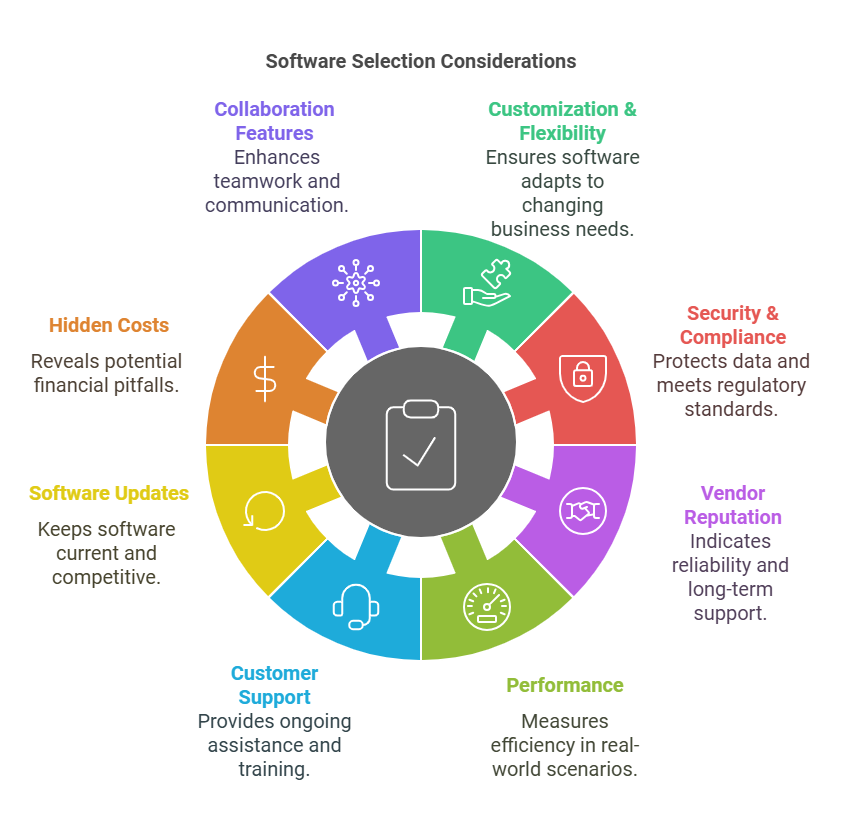
1. Customization & Flexibility
While a software’s core features are essential, its ability to be tailored to your specific business needs is often overlooked. Look for software that allows you to adapt the platform to your unique workflows and business model. Whether it’s customizing fields in a CRM, adjusting reporting features in accounting software, or creating workflows that match your processes, the ability to modify the software as your business grows can save you from needing a new system down the road. Flexibility also ensures that the software remains relevant even as your business needs evolve. The right software should help you track key metrics and understand your profitability clearly.
Questions to Ask:
- “Can the software be customized to fit my specific business workflows, and if so, how?”
- “How easily can we adjust features, such as reports or dashboards, to match our changing business needs?”
2. Security & Compliance (Beyond the Basics)
In Canada, data security and compliance with local regulations like PIPEDA are critical considerations. Ensure the software provider not only encrypts your data but also complies with Canadian data residency laws, ensuring data is stored within Canada or meets international standards that Canada recognizes. Additionally, understand the vendor’s processes for backup, disaster recovery, and how they handle data breaches. Good software setup also makes tax filing significantly easier and reduces errors at year-end.
Questions to Ask:
- “Where is my data physically stored, and does it comply with Canadian data residency laws?”
- “How does the software help me comply with Canadian data privacy laws, such as PIPEDA?”
3. Vendor Reputation & Longevity
Assessing the vendor’s reputation and long-term viability is essential for ensuring you have a reliable partner for years to come. A software vendor that has been around for a while is likely to offer better ongoing support, updates, and stability. Look for a vendor that can provide details on their product’s lifecycle and any future plans for new features or upgrades. A strong history of stability indicates that they can support your business as it grows.
Questions to Ask:
- “How long has your company been in business, and can you provide references of clients who’ve used this software for several years?”
- “What’s your product roadmap over the next 12-24 months? Are you planning any major updates or new features?”
4. Performance in Real-World Scenarios
Theoretical performance is important, but real-world performance is what truly matters. Your software should be able to handle the daily load and specific business processes, such as high transaction volumes or complex workflows, without slowing down. Ask for case studies from businesses similar to yours to see how the software performs in action. If it’s cloud-based, it should be able to scale up during peak times and still operate smoothly.
Without reliable software, your financial data can quickly become inconsistent or inaccurate—leading to reporting errors and poor decision-making.
Questions to Ask:
- “Can you provide case studies or references from Canadian businesses in similar industries to demonstrate how the software performs in real-world environments?”
- “What performance benchmarks do you use to test the software, especially during high-traffic periods?”
If you’re unsure whether your current systems support accurate reporting, compliance, and decision-making, a professional review can help identify gaps and improve how your business operates.
5. Customer Support Beyond ‘Issues’
It’s easy to assume that software support is just about fixing problems when things go wrong. However, proactive support that helps you maximize the value of the software is even more valuable. Look for vendors that offer continuous resources such as training, user communities, and professional services to ensure you get the most out of the software.
Questions to Ask:
- “What kind of ongoing training or user support do you offer to ensure my team can use the software effectively?”
- “Is there a user community or forum where we can connect with others using the same software to share best practices?”
6. Software Updates & Innovation
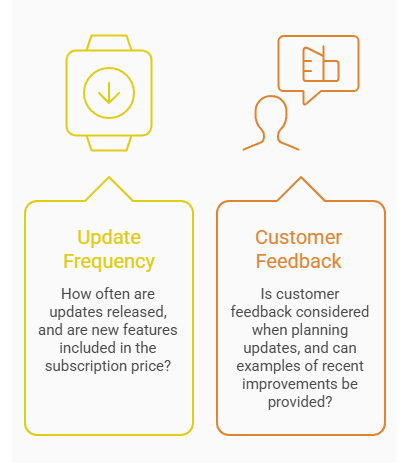
Many businesses overlook the importance of a software vendor’s update cycle. Software should continuously evolve to remain competitive, secure, and functional as your business needs change. A vendor that listens to customer feedback and integrates it into regular updates can help you stay ahead of the curve.
Questions to Ask:
- “How frequently do you release updates, and are new features included in the subscription price?”
- “Do you consider customer feedback when planning updates, and can you provide examples of recent improvements based on user input?”
7. Hidden Costs & Long-Term Affordability
While the initial price is an important factor, it’s essential to understand the long-term cost structure. Software often comes with hidden fees for add-ons, scaling, training, or ongoing support that can significantly impact your budget. Assessing these potential costs upfront can help you avoid surprises down the road and ensure the software is affordable as your business grows. Lenders also rely on clean, accurate financial data—so your systems play a key role when applying for financing.
Questions to Ask:
- “What are the total costs for this software over the next 3-5 years, including add-ons, updates, and support?”
- “Are there additional fees if my business grows (e.g., more users, added functionality)?”
8. Collaboration Features & Team Alignment
For businesses with remote teams or multiple departments, collaboration features become key. The software should integrate well with your team’s communication and task management tools, promoting smooth collaboration across different functions. It should allow team members to easily share information and collaborate on projects, regardless of location.
Questions to Ask:
- “What collaboration tools does the software include, such as document sharing or task management features?”
- “How does the software facilitate team alignment across different departments or locations?”
9. Trial Periods & Proof of Concept
Before committing to a software solution, a trial or proof of concept (PoC) can help determine if it’s a good fit for your business. A trial period gives you the chance to test the software in a live environment with your actual data and workflows, ensuring it performs as expected without full commitment.
Questions to Ask:
- “Do you offer a trial period or sandbox environment where we can test the software with our own workflows and data?”
- “Can we set up a proof of concept (PoC) to assess how well the software works with our current business processes?”
10. Local Support & Regional Adaptability
For Canadian businesses, choosing software with local support and regional adaptability is critical. Software that accommodates Canadian-specific tax regulations (e.g., GST/HST) and provides support in both English and French can make a huge difference. Local support teams can also ensure faster issue resolution, especially if you encounter any region-specific problems.
Questions to Ask:
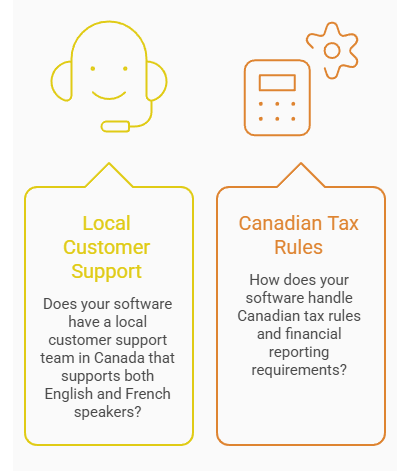
- “Do you have a local customer support team in Canada, and do they support both English and French speakers?”
- “How does your software handle Canadian tax rules and financial reporting requirements?”
11. Ubiquity & Pool of Trained Users
Software that is widely adopted often has a larger pool of trained users, making it easier to hire qualified professionals who are already familiar with the system. Additionally, well-known software solutions typically come with a wealth of online resources, such as forums, tutorials, and third-party consultants, which can make implementation and ongoing use smoother.
Questions to Ask:
- “How widely is this software used in my industry, and can you provide examples of similar Canadian businesses that have successfully implemented it?”
- “Are there any certification or training programs available to help my team get up to speed quickly?”
Conclusion
Choosing the right software isn’t just about solving today’s problems—it’s about setting your business up for long-term success. The right system should support your operations, adapt as you grow, and align with Canadian compliance and reporting requirements. Taking the time to evaluate software properly—and asking the right questions—can help you avoid costly transitions and ensure your systems work for you, not against you.
The right systems can improve reporting accuracy, reduce compliance risk, and support better decision-making. Book a consultation to review your systems, processes, and financial workflows.